


Lucky Video
4.122.00 Reviews
App Specs
- Version
- 1.0.1
- Updated On
- License
- Free
- Downloads
- 50,000+
- Developer
- Lucky-Tech Limited
- Categories
- Video Players & Editors
- Platform
- Android
Screenshots


 Analysis by AppCompare
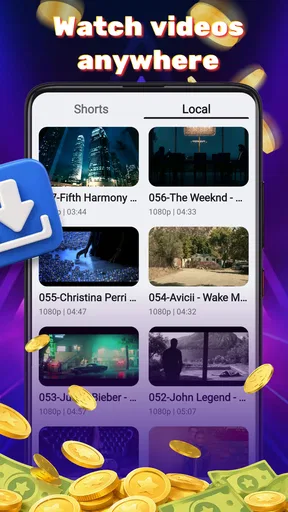
When a household shares one phone or tablet, video watching can turn into a small coordination problem: one person finds a clip, someone else wants to see it, and the device is needed again a few minutes later. I see Lucky Video as a practical option for that kind of quick handoff, rather than as a media library or a family-management tool. It is a video-player app from Lucky-Tech Limited for Android, with a simple purpose: play videos already available on the device.
A quick test before making it the household player
Before choosing any player as the default, I would try it with the actual files people in the home tend to open: perhaps a short clip received in a message, a saved recording, and a longer video. That small test is more informative than judging an app by its name or a broad promise of easy playback. It also helps reveal whether the usual routine works on your particular phone, without making a family handoff the first real trial.
I would pay attention to what happens when the video ends, too. In a shared-device setting, the useful question is not only whether a clip starts, but whether the person watching can finish and hand the device back without wandering into unrelated apps or files. If that is a concern, prepare the device yourself and keep the viewing session simple; a player is not a substitute for device-level boundaries.
One device, several viewers
When several people use the same screen, I find it helps to separate the act of watching from the act of handling the device. I’d settle who chooses and starts a clip before passing the phone around, so a quick viewing session doesn’t become a hunt through someone else’s apps or files. That practical routine also makes it easier to think through the boundaries worth setting before anyone else gets the device.
Useful for quick handoffs
Picture a familiar moment: a relative sends a video, you open it while everyone is nearby, and the phone gets passed from one person to the next. In that situation, a dedicated player can be more convenient than hunting through a streaming app or reopening a conversation. Lucky Video’s focus is uncomplicated playback, which suits short, occasional viewing better than a setup built around playlists, subscriptions, or a large entertainment collection.
I would consider it for a shared household phone or tablet when different people take turns watching locally available clips. That does not make it a shared account system: the app should be treated as a player on the device, not as a way to separate viewers, manage profiles, or coordinate what each person watches. If multiple people use one device, the practical boundaries come from how the device itself is set up and handed over.
That distinction matters. A player can make opening a video easier, but it cannot replace agreeing on whose device it is, where personal files are kept, or whether someone else may browse them. For a parent lending a phone to a child, I would close unrelated apps and choose the video beforehand rather than assume the player provides parental restrictions. That simple habit is more useful than expecting a basic playback app to manage household rules.
Worth Reading Before You Choose

Baby Panda World Brings Quick Play to Modern Phones, but Its Game Library Feels Busy

ESPN’s Live Game View Makes Following Close Games Easier

QuizzLand Review: A Good Fit for Short Trivia Breaks, Not Every Player

Basketball Stars: Multiplayer Is Fast, but Can It Recover When Matches Go Wrong?

WEBTOON Turns Phone Updates Into a Better Reading Routine

Link to Windows Runs on Shared Habits, Not Social Feeds
Keeping setup simple and expectations realistic
The app is free and has an Everyone content rating, so there is no purchase decision or age label suggesting mature content within the app itself. Those are helpful starting points for a household, but they do not certify that every video played through it is suitable for every viewer. The content comes from the files people choose to open, so I would still check a clip before handing the device to a young child.
For a shared device, I would also keep the first use deliberate: open a video you already know, check that it plays as expected, then decide whether it is convenient enough to keep as the usual player. This avoids turning a quick family viewing moment into troubleshooting. If the device has several apps that can open videos, choosing a preferred one in the system settings may make repeat use smoother, though the exact steps depend on the Android device.
Lucky Video is listed for Android devices running version 7.0 or later. That makes it relevant to some older devices as well as newer ones, but compatibility alone does not tell you how smoothly a particular file or handset will behave. If a video stutters, has no sound, or fails to open, I would first test another file and compare playback in the device’s existing player. That separates a file or device issue from a reason to switch apps.
Coordinating around a shared screen
There is a small but useful household workflow here: decide who chooses the clip, keep the phone in one person’s hands while it starts, and pass it along only once playback is settled. When people trade control before a video opens, they can accidentally leave the clip, switch apps, or lose track of where it was. A simple handoff routine is more reliable than expecting the player to coordinate several viewers.
For longer videos, I would avoid using a shared phone if people need to pause, resume, and return at different times. A single device can become a bottleneck, and a dedicated television or a player with a well-organized library may be better for that pattern. Lucky Video’s appeal is strongest when the task is “play this clip now,” rather than “keep our household media organized over the week.”
Another practical point is privacy. A person handing over a device should consider whether other personal files, notifications, or open apps are visible outside the player. The sensible answer is to prepare the device before sharing it, not to assume Lucky Video creates separate viewing spaces. If privacy between household members is a priority, separate device accounts or a device-level guest mode, where available, are a better place to look.
What it does well—and where a fuller player may win
Compared with the built-in video app that comes with a phone, a separate player is worth trying when the default option feels awkward or does not fit your routine. Lucky Video’s straightforward positioning is appealing if you want a focused app rather than a streaming service. Its current version is 1.0.1, so I would judge it by whether it handles your everyday files reliably instead of assuming it already offers the depth of a long-established media player.
That is also the main trade-off. People who want detailed subtitle controls, format-specific tools, network streaming, casting, playback queues, or a catalog that remembers where everyone stopped should compare alternatives carefully. I would not choose Lucky Video on the assumption that it includes any particular advanced function. For a specialist use case, a player that clearly documents the needed controls is the safer choice.
There is also a difference between a video player and a service that supplies entertainment. Lucky Video is for playing video, not for discovering shows or replacing a subscription library. If the household mainly watches online films together, a streaming app or television platform will be more convenient. If the need is simply to open a clip stored or received on a phone, a light, focused player is the more natural fit.
Age, trust, and the limits of a rating
The Everyone rating makes the app itself broadly suitable from an age-label perspective, and its free price removes the need to weigh a paid download. I would still treat the rating as one part of the decision, not a substitute for supervision. A child can use a general-purpose video player to view files selected by someone else, so the adult’s choice of content and device access matters more than the label alone.
Lucky-Tech Limited is the developer behind the app. I find it useful to know who publishes a tool installed on a shared device, but a developer name by itself does not answer every question a household might have about privacy or file handling. My practical recommendation is to review the app’s permissions and device settings when installing any new player, and to avoid storing sensitive clips on a device that is routinely passed around.
The app has a 4.1 average from around 190 ratings, with a little over 20 written reviews. That gives a prospective user some public feedback to consider, though a rating cannot predict whether the app will suit a particular phone, file collection, or family routine. I would use it as a reason to try the app rather than as a guarantee of a perfect fit.
Who should try it, and who should look elsewhere
I would try Lucky Video if I want a free Android player for occasional clips, prefer a focused tool over a streaming-heavy interface, and do not need household profiles or elaborate media organization. Its 50 thousand-plus installs suggest it has found an audience, but my recommendation depends more on the simple use case: open a video, watch it, and move on.
I would skip it if my first requirement were to keep separate histories for adults and children, manage permissions for different viewers, or maintain a carefully sorted collection across devices. I would also compare it with the phone’s built-in player before making it the default. If that built-in option already opens all the files you use and has the controls you need, installing another app may add little value.
Small habits that make shared viewing smoother
One useful distinction is between sharing the screen and sharing the device. If everyone is watching together, one person can handle playback while others simply view; if each person takes a turn holding the phone, notifications and personal files become more relevant. I would decide which kind of sharing is happening before opening a clip, then choose a setup that matches it. For a quick group watch, keeping the device with the person who selected the video avoids accidental taps and makes the handoff predictable.
For clips people may want to revisit, I would agree on where the original file belongs rather than relying on the player to serve as a household archive. Keep the video in a location the device owner is comfortable sharing, and avoid mixing private recordings with material intended for everyone if other people browse the same device. This is a small organizational step, but it prevents a convenient player from becoming an accidental route into someone’s personal media.
There is also a useful fallback when playback behaves oddly: try the same clip with the built-in player before changing settings or moving files around. If both apps struggle with one video, the file or handset is a more likely part of the problem than the choice of player. If the built-in app handles it and Lucky Video does not, then you have a clear reason to use the alternative for that kind of clip. I find this kind of comparison more practical than switching the default after a single failed attempt.
A sensible household fit
Lucky Video is easiest to recommend to someone who wants a straightforward way to open everyday videos on an Android device, especially when the existing player is inconvenient and the household does not need individual viewing profiles. It is less compelling for a home that expects a player to organize a large collection, preserve separate progress, or act as a child-safety layer. Those are different jobs, and choosing an app built around them will usually save frustration.
For a typical evening, imagine a family member shares a short recording in a chat. I would check the clip, open it in the player, keep the phone with the person managing playback, and return the device once everyone has watched. If the viewing turns into a longer session or several people want to continue at different times, I would move to a television or a more organized media setup rather than ask a single phone to do too much.
The app’s 4.1 average gives a modest reason to consider trying it, but the best test remains your own routine. Does it open the clips you actually receive? Is the playback comfortable on your device? Does it make the next handoff simpler than the built-in option? Those answers matter more than broad expectations about what a video player should offer.
For a household, my verdict is modest but positive: Lucky Video is most convincing as a no-cost, everyday clip player that can make quick shared viewing less fussy. Keep expectations centered on playback, set device boundaries yourself, and test it with the kinds of videos your family actually watches. If it handles those reliably, it earns a place on the device; if you need profiles, stronger child controls, or a full media hub, choose a more specialized option instead.
Pros
- Simple interface makes browsing short videos straightforward.
- Quick video playback suits brief viewing sessions.
- A varied feed can help users discover different clips.
- Videos are easy to share with friends.
- Lightweight format works well for casual entertainment.
Cons
- The quality and relevance of recommendations may vary.
- A steady internet connection is needed for smooth playback.
- Frequent clips can make it easy to spend more time than planned.
- Some videos may include content that is not suitable for all ages.
- Availability and features may differ by region or device.
FAQs for Lucky Video
What is Lucky Video, and what can I do with it?
Lucky Video is an app name that may refer to different products depending on the developer, region, or app-store listing. Before downloading, check the listing’s description and screenshots to confirm what this particular version offers, such as video playback, editing, streaming, or rewards. Do not assume that features advertised elsewhere are included in the app you are considering.
Is Lucky Video free to download and use?
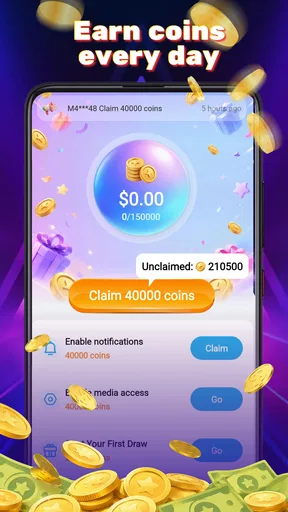
The price and payment model can vary between versions of Lucky Video. Check the current Google Play or Apple App Store listing for its download price, in-app purchases, subscriptions, and any trial terms. If the app promises cash, prizes, or other rewards, read the eligibility and withdrawal rules carefully; promotional claims do not guarantee that every user can earn or redeem them.
Is Lucky Video safe to install?
Safety depends on the exact app and its publisher, so verify the developer name, recent reviews, update history, and requested permissions before installing. Download only from an official app store or the developer’s trusted site, and avoid unfamiliar APK files. Be cautious if the app requests access that seems unrelated to its advertised purpose or asks for sensitive information without a clear explanation.
What permissions or personal information might Lucky Video require?
Requirements depend on the app’s features. A video app may need internet access and, for functions such as recording or uploading, permission to use the camera, microphone, or selected media. Review the privacy policy and the store’s data-safety information to see what data may be collected, shared, or retained. You can usually deny optional permissions, though some features may then be unavailable.
Will Lucky Video work on my Android or iPhone, and what should I check first?
Compatibility can differ by version, device, and country. Before downloading, check the app-store listing for supported operating-system versions, device requirements, availability in your region, and the date of its latest update. Also consider whether you have enough storage and a reliable internet connection, especially if the app streams or downloads video. Install from the official store for your device.


